




 4
4
In SmartCare, you may receive a 'Unable to connect with report server' message when opening scanned documents.
This can be due to the type of PDF scanned or, more likely, the size of the document.
Fortunately the document can still be viewed from the Scanning (My Office) screen.
To find and view the document using the Scanning (My Office) screen:
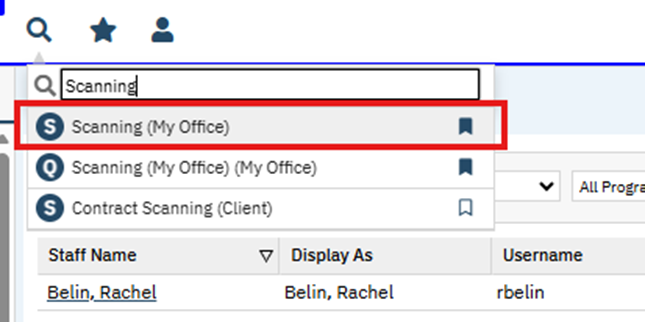
1. Search for the Scanning (My Office) screen and select it:
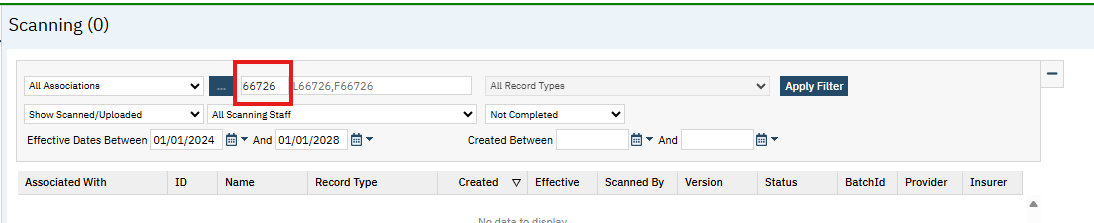
2. Enter the appropriate filter information:
- Enter the ClientID in the small box next to the blue button and click out of the box to load a client
- Enter any additional filter information you require to find the file and click the Apply Filter button to the right
3.) Locate the desired file in the results list and click on the link in the Created Date column:
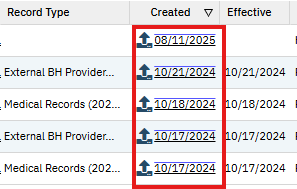
This will bring up the appropriate file contents.

