



PDF Editing In Edge: Text added to a PDF disappears when added via text tool

Feb 12, 2026
 8
8
To resolve this issue, we will need to change how fonts are handled in Microsoft Edge.
To do this:
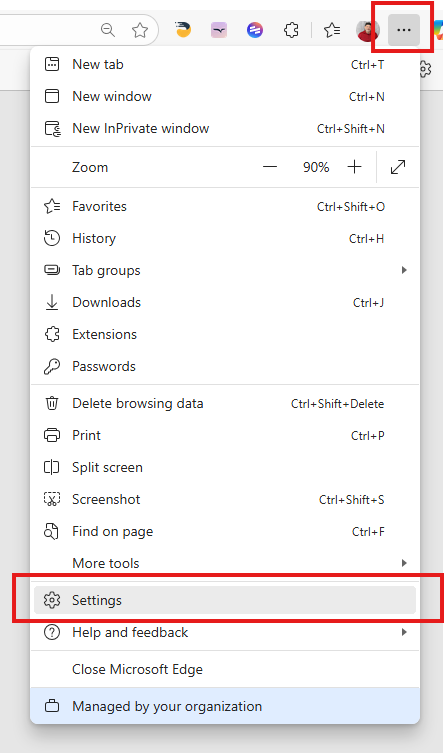
1.) Click on the 3 vertical dots on the top right of the screen and select the Settings option:
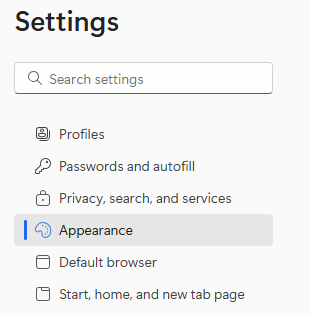
2.) On the settings screen, select the Appearance selection on the left menu:
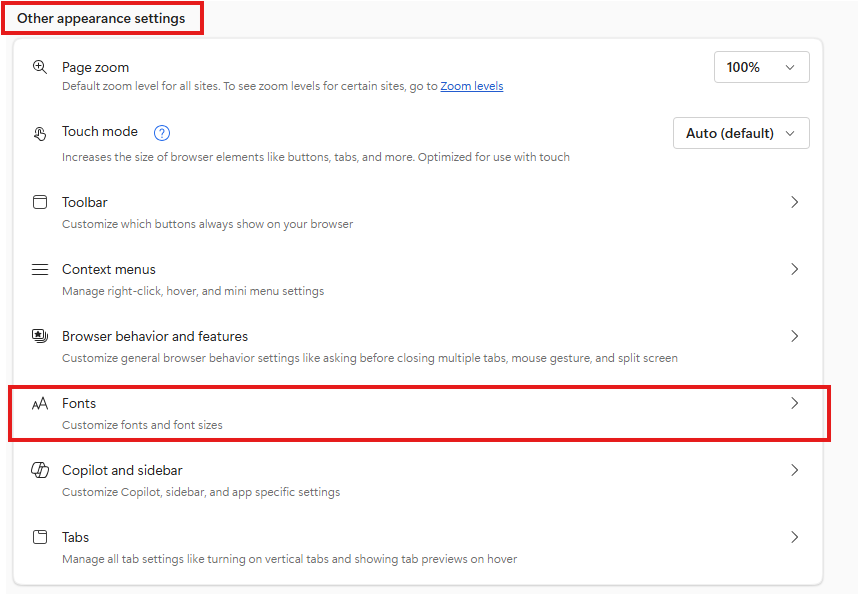
3.) On the right window you will need to scroll down until you see the Other Appearance Settings section, and select Fonts:
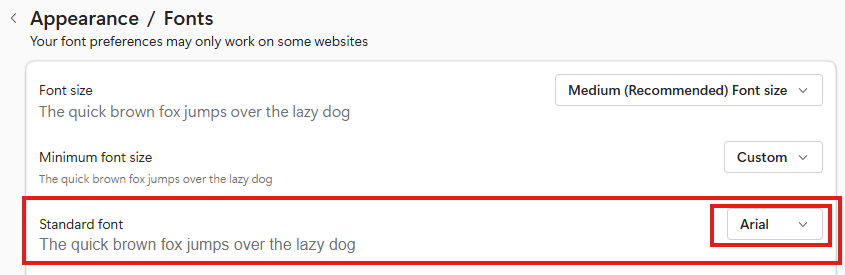
3.) On the Fonts screen you will need to set the Standard Font to Arial as shown below:
These settings will align the PDF editor with the Text control when editing PDFs and prevent loss of text during the process.

